Site Accessibility
This page documents design intentions and implementation decisions rather than certifying formal accessibility compliance. The site aims to provide a clear, readable, and user-friendly experience for visitors using a range of devices and assistive technologies.
Below are the key accessibility considerations prioritised and implemented where feasible throughout the project.
1.
Semantic Structure & Navigation
Pages are organised with consistent headings and a logical reading order.
The homepage includes internal anchor links (e.g., Learn More, Table of Contents) for streamlined navigation.
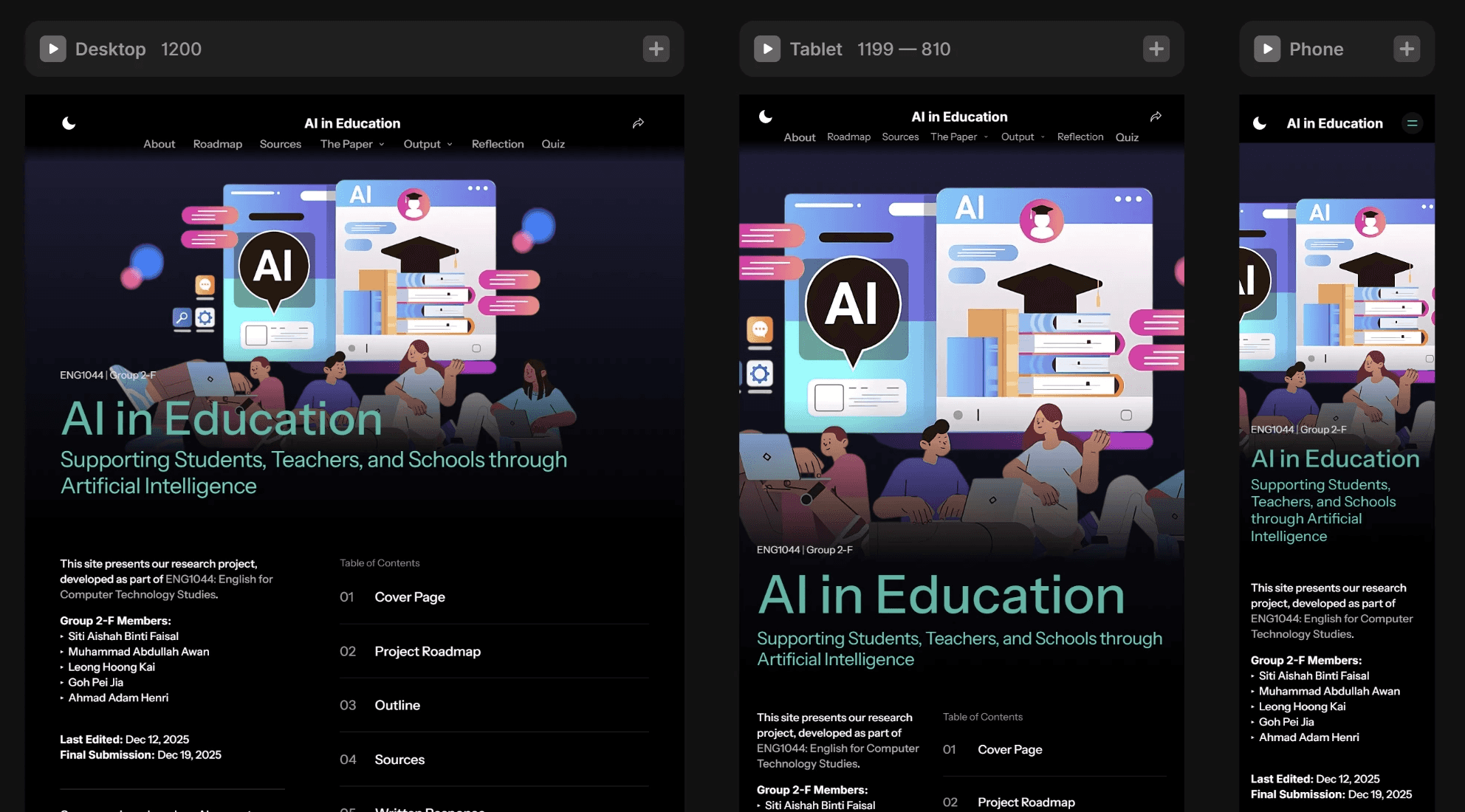
All pages adjust to desktop, tablet, and mobile views, ensuring readable text, scalable components, and easy navigation across devices.
2.
Visual Design & Readability
Light and dark themes offer flexible viewing options for different lighting conditions.
Accent colours were selected to remain visually distinguishable against both themes, based on legibility considerations.
Body text uses large, readable fonts with generous spacing.
Interactive elements have hover states, focus states, and clear visual boundaries.
3.
Screen-Reader Support
Where applicable, interactive components were configured to support basic screen-reader visibility.
Decorative images (e.g., the hero banner) use empty alt text so they are skipped by screen readers
Functional images (e.g., charts) include aria-label attributes. The DEC charts on the About page are accompanied by textual descriptions (caption and aria labels) to convey key information for users who cannot view the visual charts.
Image gallery includes descriptive aria-label text for navigation buttons (e.g., Next image, Previous image, Open full view).
The FileBtns component includes labelled actions for assistive technologies (e.g., Download file, Copy link to clipboard).
The Quiz component provides button labels that reflect correct, incorrect, and hint states.
4.
Content Accessibility
Site text content avoids jargon where possible and includes definitions in a dedicated Glossary of Terms →.
Long PDFs are embedded with multi-page navigation and “Download” options for offline reading.
5.
Limitations
Certain accessibility features were not implemented due to scope:
Full keyboard navigation for complex components (e.g., gallery thumbnail grid)
Some animated components do not yet include a “reduce motion” toggle.
Some filtering components rely on visual dropdowns; a fully screen-reader-optimised form system is not implemented.
This site was built as part of a learning project. Accessibility remains an ongoing area of improvement, and future updates may extend support for additional aria-live regions for dynamic content.